WinBolo 2.0
Coming Soon

FAQ
What is WinBolo?
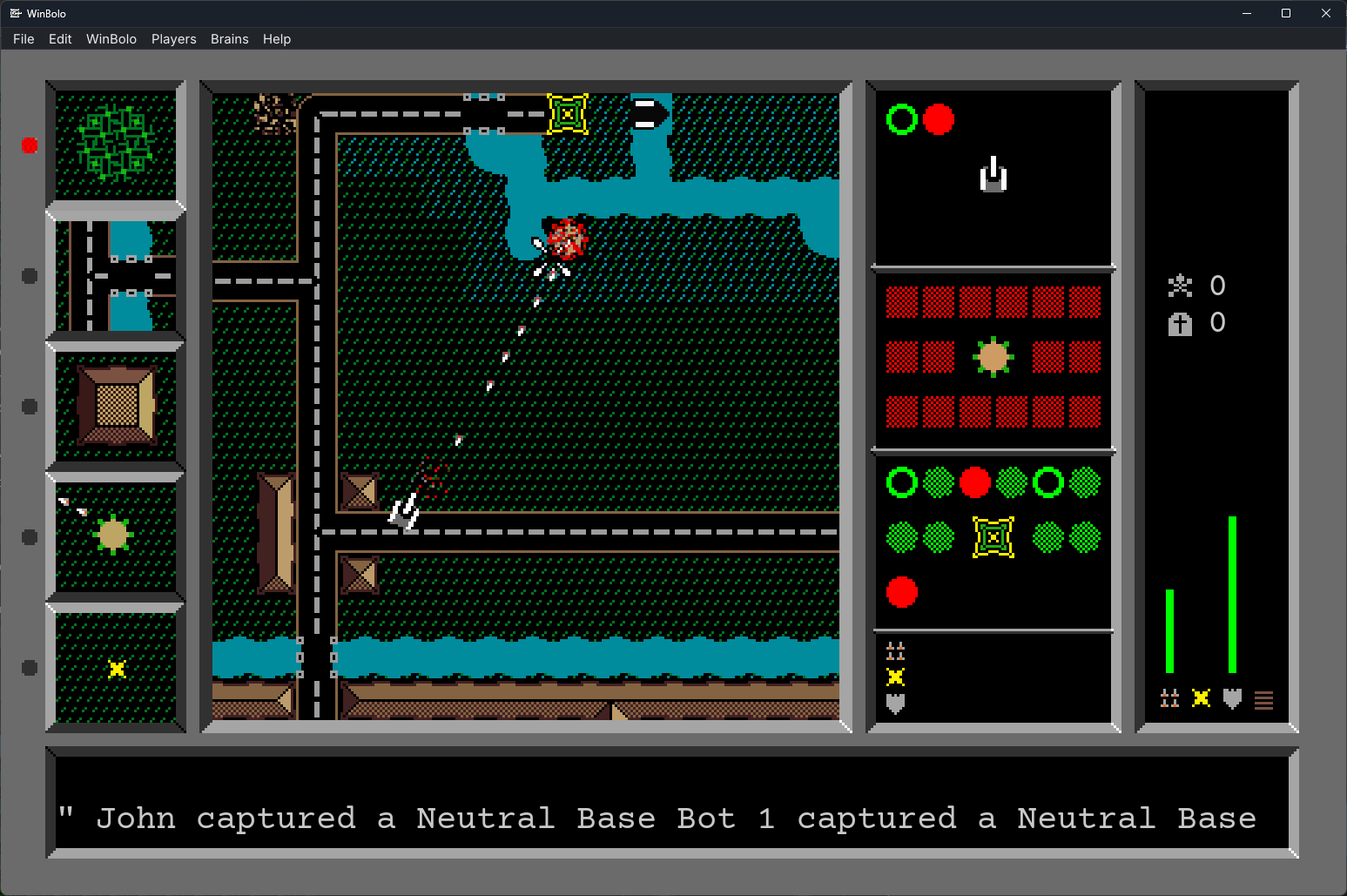
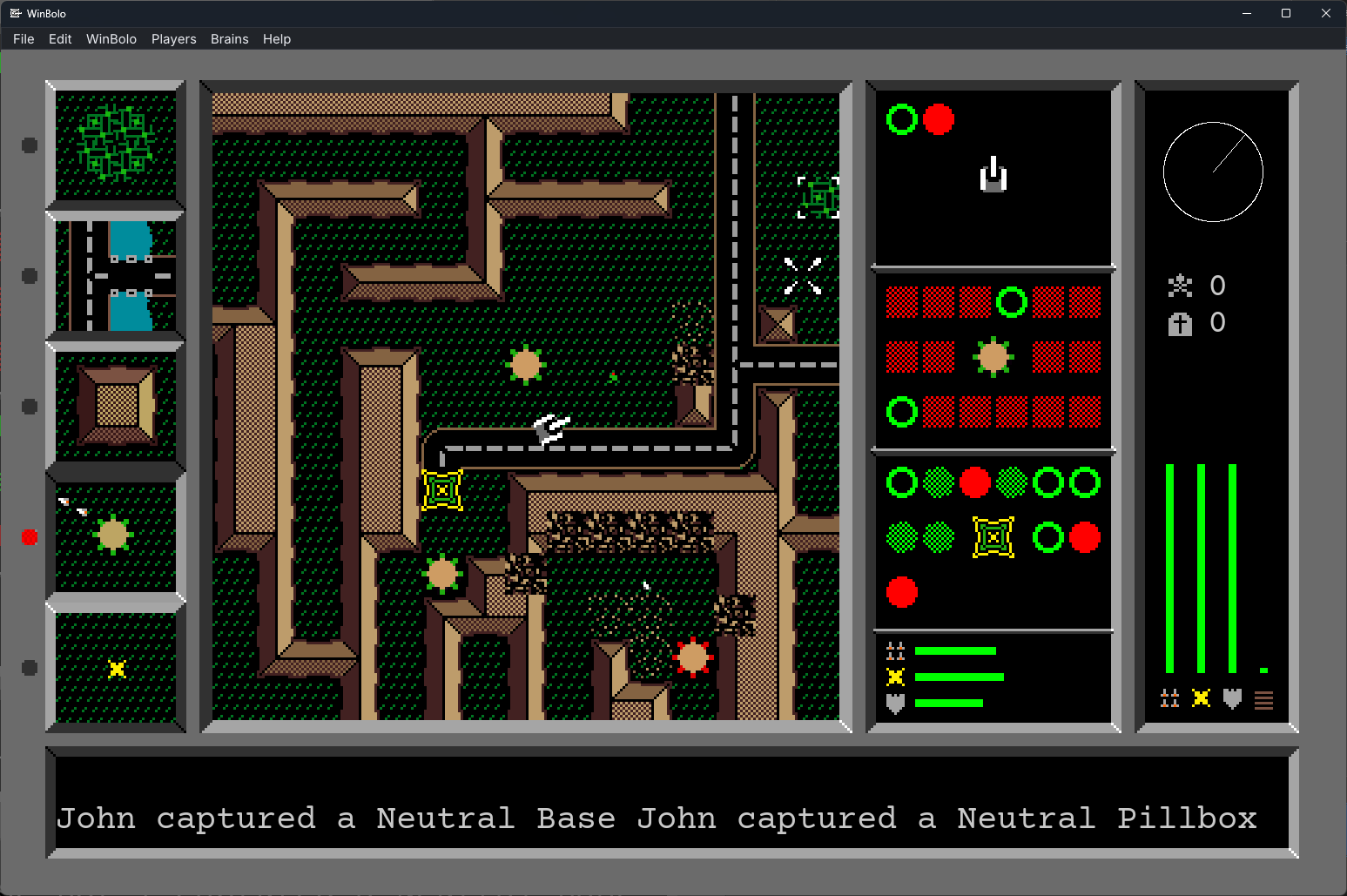
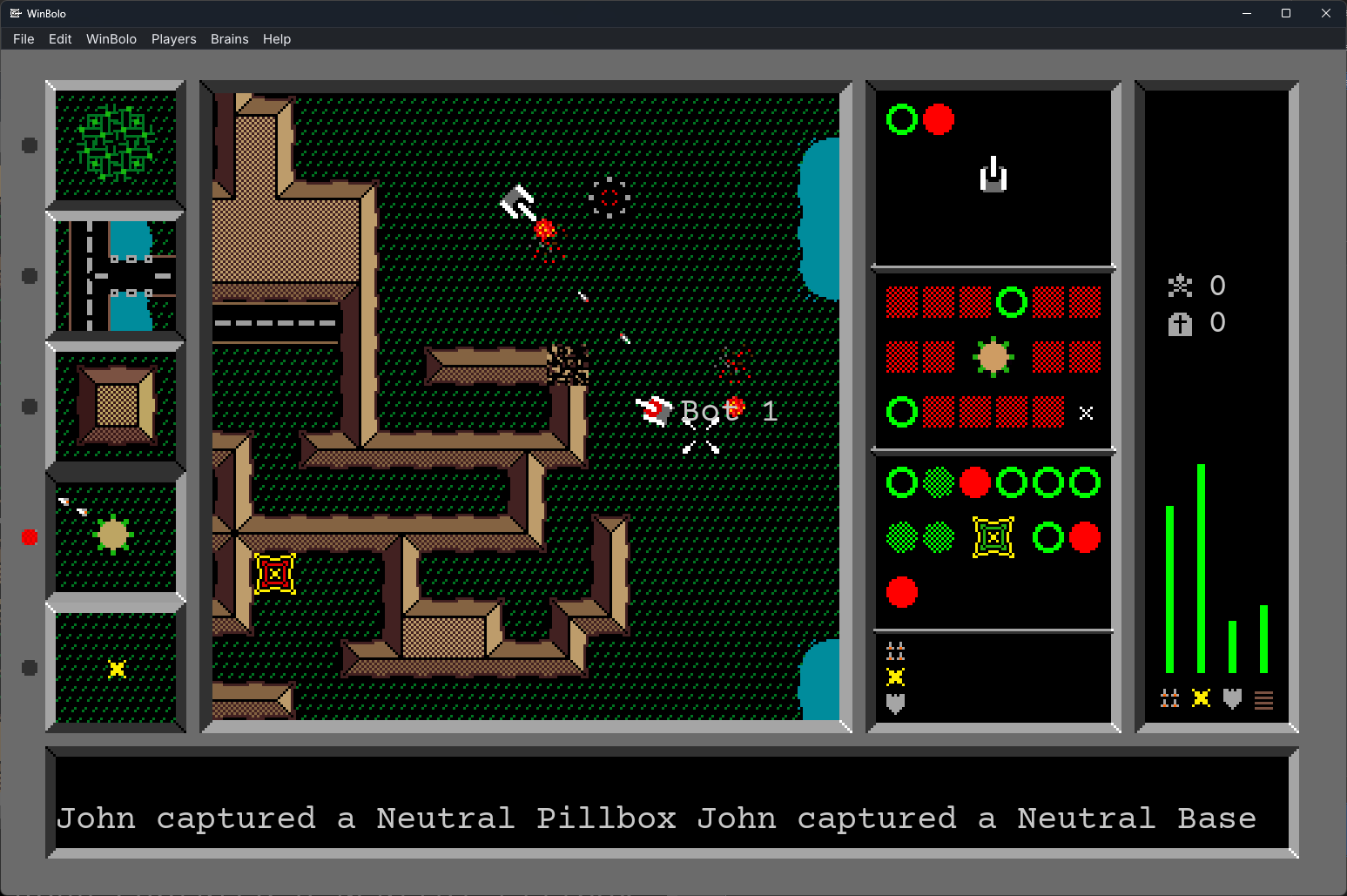
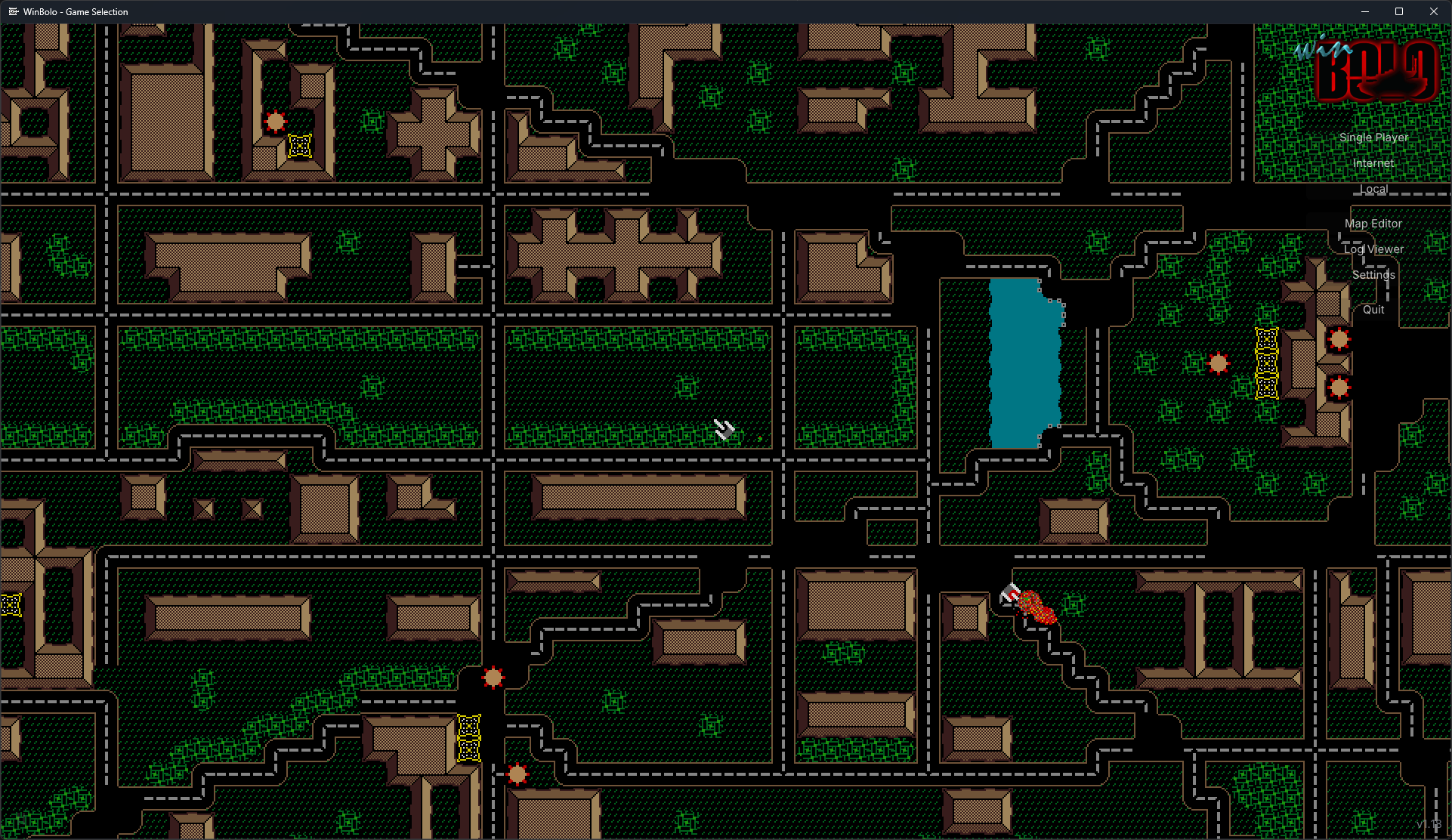
WinBolo is a multiplayer tank game for up to 16 players. You pilot a tank across a top-down island, capturing pillboxes and bases, fortifying your position — harvesting trees, building roads and walls, laying mines — as you battle for control of the map.
Some players prefer long, freeform games where alliances shift hour by hour and killing a friend for tactical advantage is a perfectly respectable move. Others play tournament-style: teams decided beforehand, no diplomacy, just two sides fighting for the island.
Both styles share the same simple rules and the same surprising depth — tactical combat, base-building, and resource management woven together into a game that rewards everything from a clean pillbox capture to long-term strategic thinking.
Originally created by Stuart Cheshire in 1987 and finding fame on the Macintosh in the early 1990s, Bolo was one of the defining multiplayer games of the early internet.
In 1998, John Morrison began developing WinBolo — a faithful Windows reimplementation built from scratch, and the only Bolo port Stuart Cheshire ever officially endorsed. Over a decade of active development through to 2008, WinBolo grew to include a Linux port (LinBolo) and a thriving online community at winbolo.net, with stat tracking, leaderboards, map archives, and replay logs drawing players from around the world.
After years of dormancy, it's back: cross-platform, open source, and ready for a new generation. Windows, macOS, Linux, Steam Deck, iOS, Android, and the web.
Bolo has been described as a game that takes "an instant to learn, but a lifetime to master. You have to play it to understand."
What's new in WinBolo 2.0?
1. Platform & Gameplay
WinBolo 2.0 modernizes the classic game from top to bottom — same gameplay you remember, rebuilt for modern platforms. Key additions:
- New cross-platform codebase — Windows, Mac, Linux, Steam Deck, iOS, Android, and Web all share the same game, and players on any platform can join the same server
- Steam integration:
- 50+ achievements
- Steam presence with join support
- WBN sign-in, account creation, and linking of existing accounts
- High-resolution graphics using SVG or PNG images (theme support coming soon)
- Dynamic window resizing
- Multi-language support including player names and in-game chat — localized to 17 languages
- Optional smooth scrolling
- Crash reporting to help track down and fix issues
Gameplay mechanics
- Improved aiming — Pixel-perfect aiming fixes alignment issues that made some pilltakes impossible from certain directions
- Tank movement — Tanks now move like the original game, including the ability to nudge and push other players
- Player starts — Spawn locations now bias toward areas clear of hostile players, pillboxes, and bases, and favor spots closer to your own base
2. Server & Networking
A complete networking rewrite. Highlights:
Lobby
- Pick teams before the game starts
- Optional team auto-balance based on WBN rankings
- Map skip voting and full map voting
- When a side wins by holding every base, players return to the lobby for the next round instead of the server shutting down
Authoritative server
The server now runs the simulation; clients send inputs. This closes the door on the trust-the-peer cheats from earlier versions.
Easier self-hosting
UPnP and NAT-PMP/PCP open ports automatically when your router supports it. When it doesn't, UDP hole punching lets remote players reach servers behind most NATs. (Strict firewalls may still block it.)
Modern netcode
- Per-client lag compensation with position-history rewind for hit detection on both tanks and builders — shells hit where you aimed
- Per-player adaptive jitter buffer that absorbs short network stalls
- Client-side prediction and reconciliation, with resync on drift or error
AI players
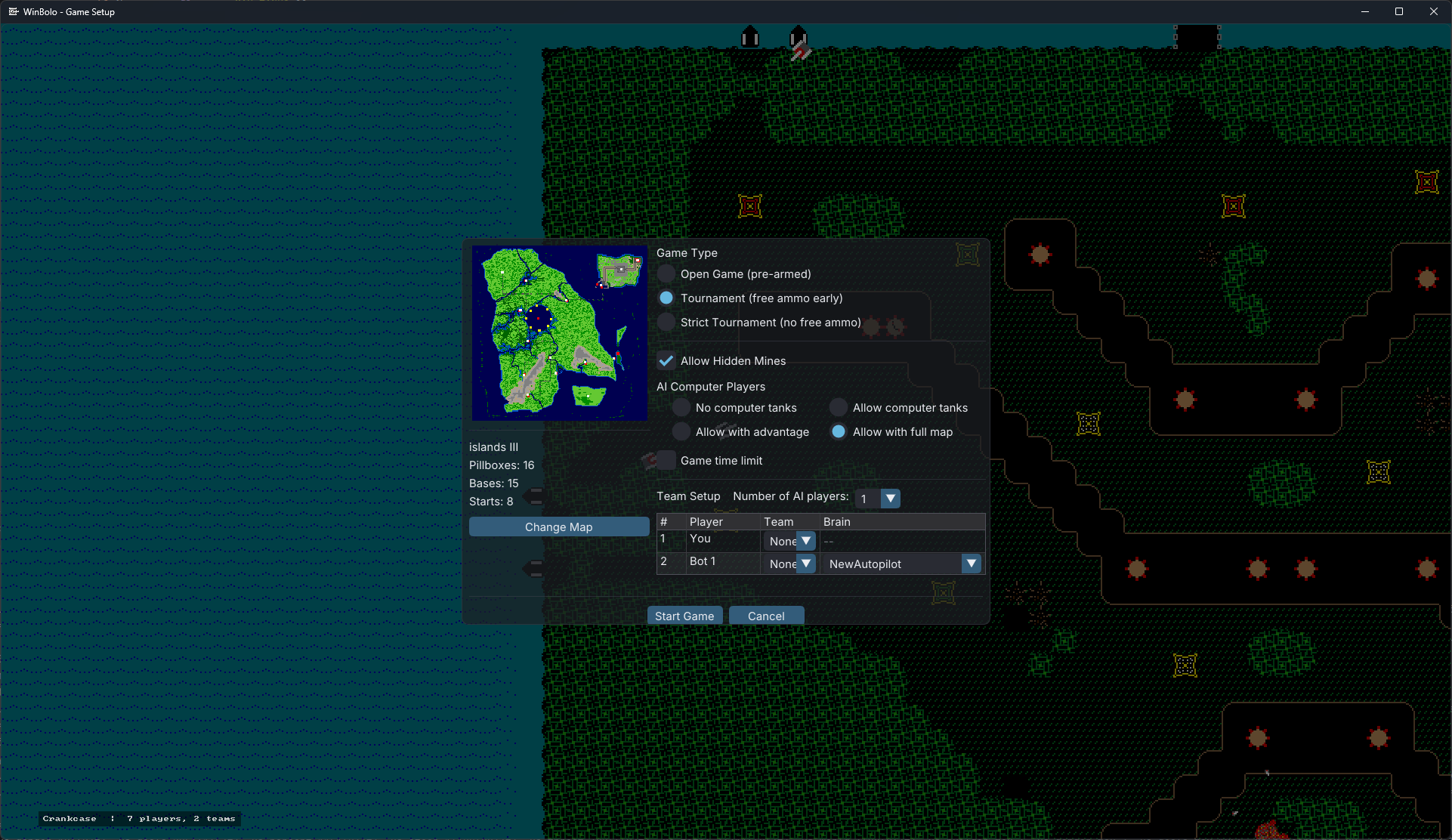
Add bots (Brains) from the lobby. They can run on your server or your client.
Maps
- Point the server at a folder of map files and it picks one each round
- Or generate a fresh random map every round
Server restarts
When everyone's gone, the server returns to the lobby after a configurable wait.
3. AI Brain & Developer Tools
A brand-new AI — NewAutopilot, based in part on the original aIndy — is bundled with the game. Brains can be played against in single player or included in networked games.
NewAutopilot
- Goal-priority system to decide the next action
- Game phase detection — early game, mid game, and end game (winning/losing)
- Territory influence maps for front-line analysis and pill placement decisions
- Threat calculations including shell and LGM trajectories with forward world simulation
- Multiple pilltake strategies
- Inter-brain objective communication and direction from players
- Pill repositioning
Developer tools
- Brains are now written in Lua, with C helper functions exposed for performance-critical code
- A full-featured brain visualization tool for debugging what the AI is doing in-game
Machine learning
- A highly optimized C shared library exposes the full game simulation as a steppable environment — runs dozens of independent instances concurrently with no shared state, and performs reward calculations inside the simulation to eliminate per-step Python overhead
- A Python package wraps this with a Stable Baselines 3 interface and a custom PyTorch network (CNN for terrain, DeepSets for entities). Train agents and export ONNX files to use as in-game AI Brains
4. Map Editor
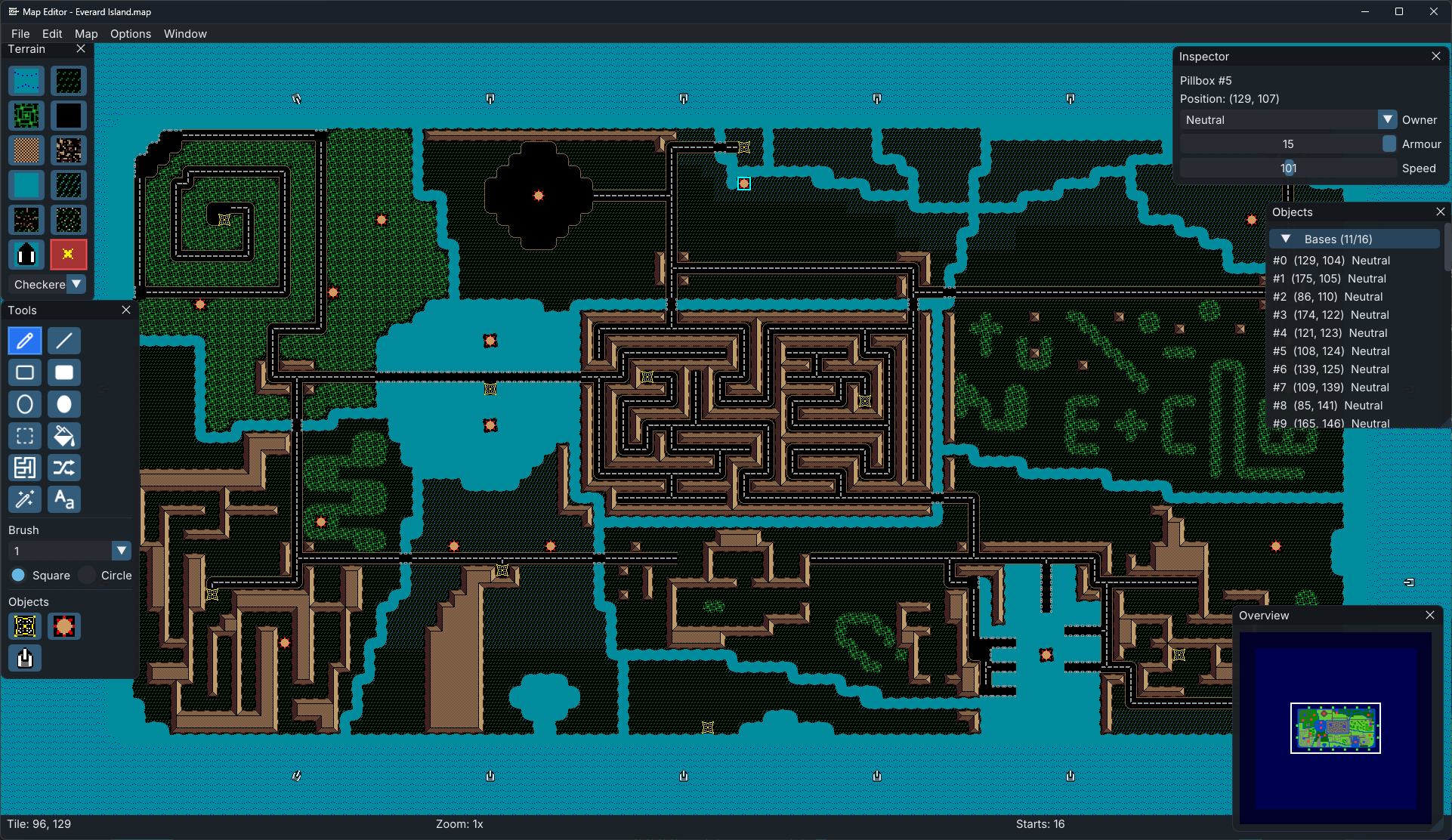
A full-featured map editor is included, letting players build new maps from scratch.
Drawing tools
- Pencil, Line, Rectangle, Filled Rectangle, Oval, Filled Oval — with brush sizes 1, 3, 5, 7, 9 and square or circular shapes
- Paint Bucket Fill — flood-fill an area of matching terrain
- Magic Wand — select connected regions of matching terrain
- Selection Tool — marquee-select any rectangle for cut, copy, and transform operations
- Mine placement — full coverage, checkerboard, random sparse, or clear-only patterns
- Maze Drawing Tool — generate mazes within a selection with configurable options
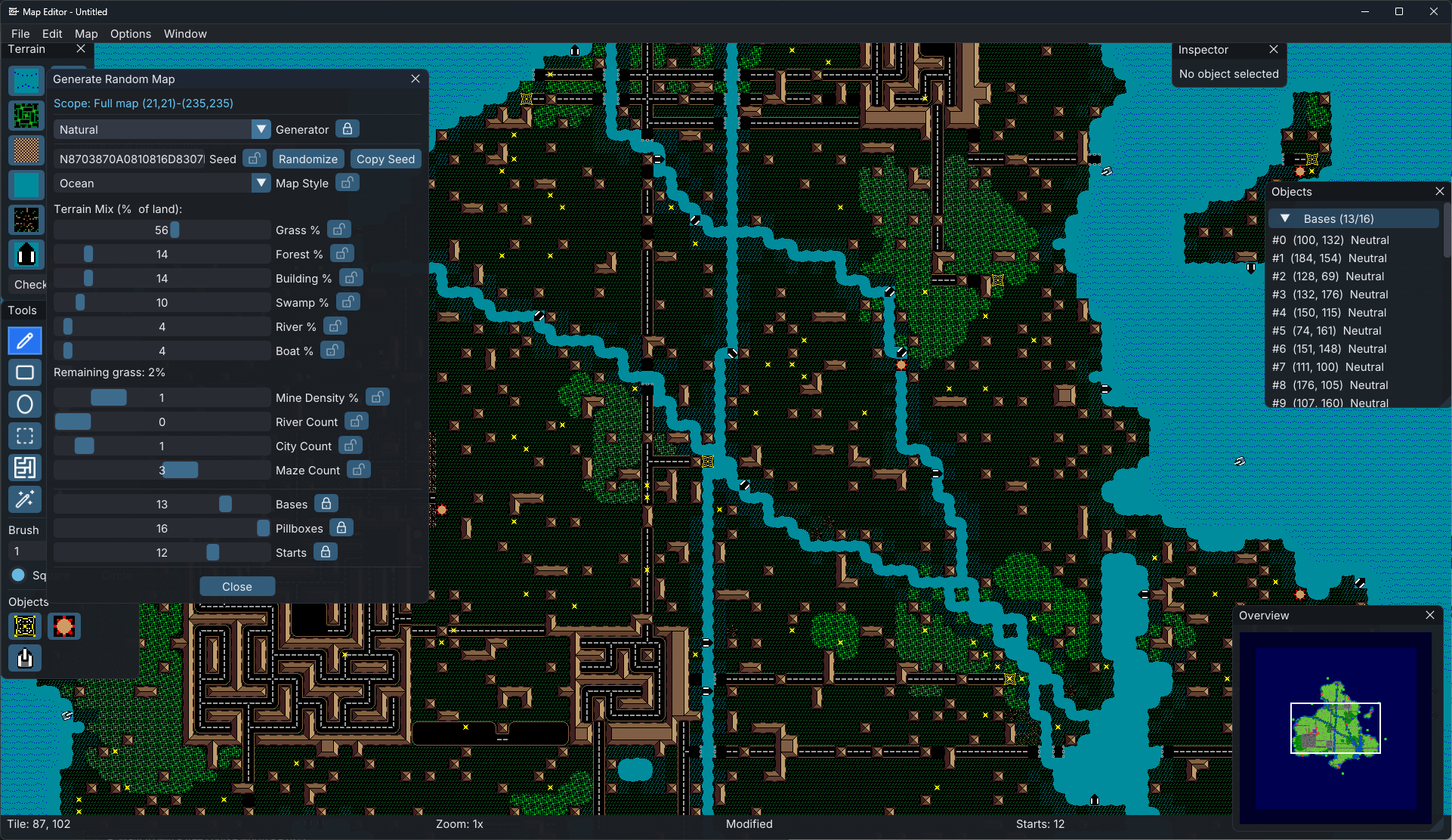
Procedural generation
Four generator engines, each tuned to a different style:
- Tournament — symmetric competitive maps with selectable mirroring (horizontal, vertical, 180°, 90°, 4-corner), land-mass percentage, terrain roughness, and optional roads
- Natural — organic maps in five styles (Ocean, Continent, Islands, Archipelago, Inland) with sliders for grass, forest, buildings, swamp, rivers, boats, and city/maze pockets
- Maze — single-solution labyrinths or open multi-path mazes with adjustable wall thickness, corridor width, perimeter entries, and embedded city rooms
- Fractal — diamond-square terrain with land percentage, roughness, erosion detail, jagged coastlines, multi-band elevation, and optional rivers and lakes
Every generator is seeded — share a seed string to reproduce a map exactly. Lock individual parameters so Randomize only shuffles the rest.
Text & image tools
- Drop text directly onto a map as terrain — four sizes (Small/Medium/Large/XL), four styles (Regular, Bold, Italic, Bold Italic), supports system and bundled TTF/OTF fonts
- Import any PNG/JPG and convert it to terrain automatically via color quantization — remap clusters manually or leave colors transparent
Stamp library
Save any selection as a reusable stamp (.bstamp) and browse a thumbnail library mixing your stamps with bundled ones shipped with the game.
Symmetry, validation & statistics
- Mirror or rotate the full map or current selection — terrain and objects transform together
- One-click validation checks object counts, terrain placement, border zones, and stacked objects; click any issue to jump straight to the offending tile
- Live stats panel — per-terrain percentages, mine density, object counts, average base/pill spacing, and automatic symmetry scoring
Navigation & file management
- Continuous zoom, click-drag pan, arrow key navigation
- 256×256 overview minimap with click-to-navigate and viewport indicator
- Save/load standard .map format, recent files list, export to PNG (4096×4096 full render or compact minimap preview)
- Cut/Copy/Paste with undo/redo stack up to 100 commands deep, covering terrain and object edits as grouped actions
- Dockable panels — Terrain palette, Tools, Inspector, Object List, Overview, Statistics, and Stamp Library can each be shown or hidden and their positions are remembered
5. Log Viewer
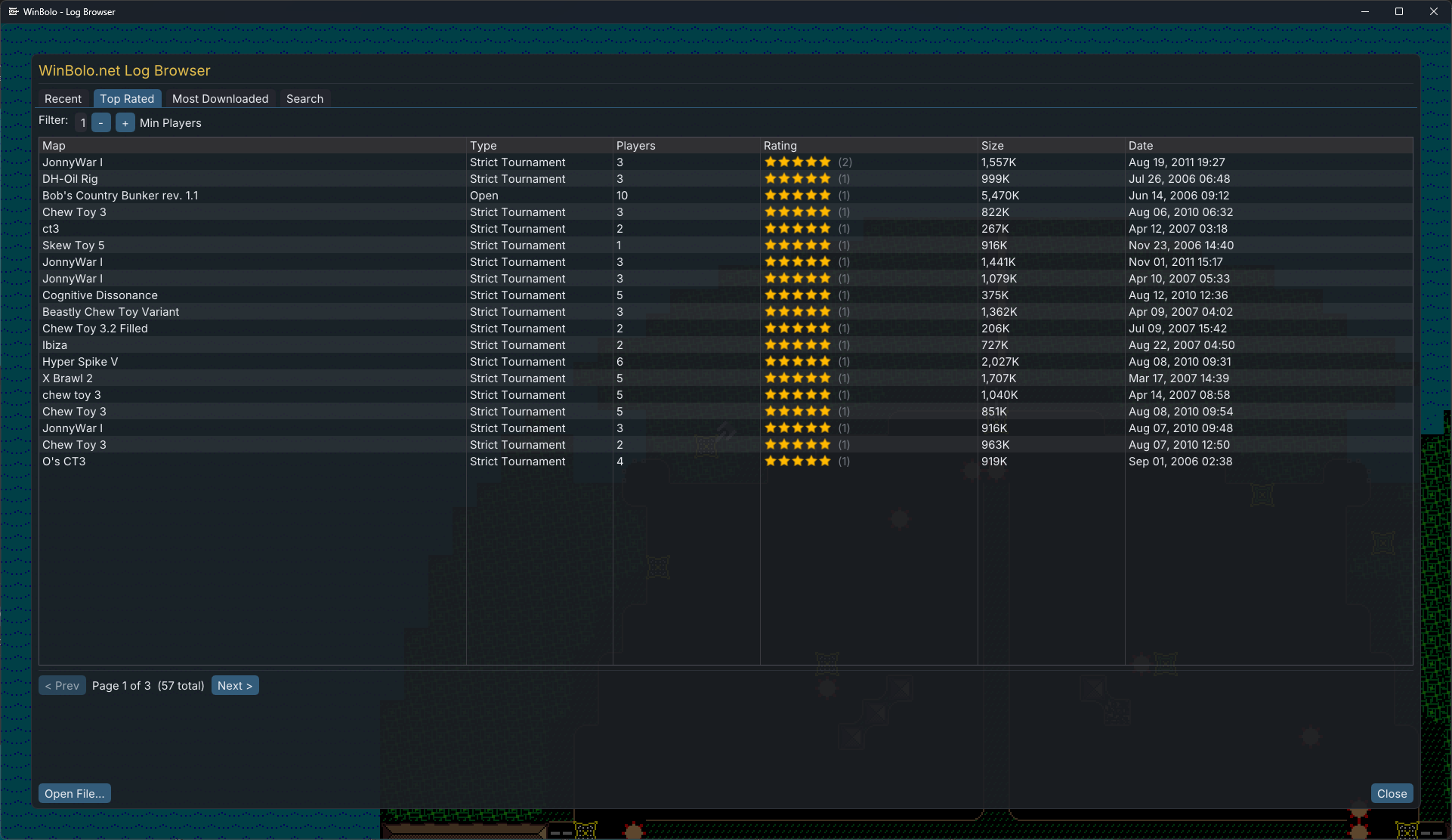
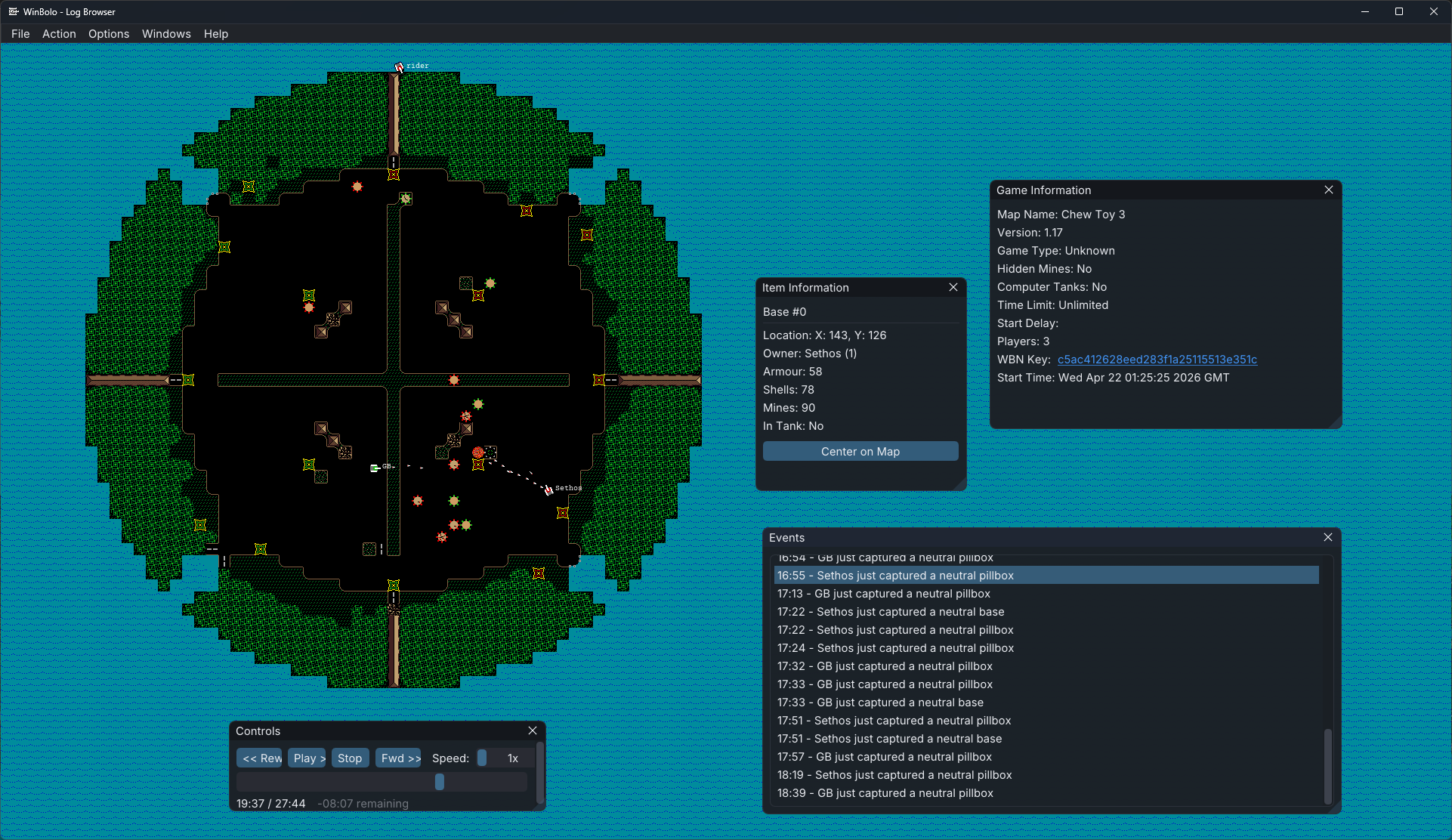
The log viewer is now embedded in the main game with WBN integration:
- List recent log files by date, player, or review ranking
- Add reviews and rankings from inside the game (requires WBN sign-in)
- Logs are viewable directly on the WBN website
- Smooth scrolling and fast-forward/rewind scrubber for quicker navigation through replays
- Display zoom
Which platforms will be supported?
When will it be released?
How much will it cost?
Bolo was shareware in the 1990s, and WinBolo carried that spirit forward. WinBolo 2.0 keeps it going: freely available on Steam, the Apple App Store, and Google Play. An optional supporter purchase is available for anyone who wants to help fund ongoing development — including, perhaps, the players who never quite got around to sending in their shareware fee back in 2001.
Is it Open Source?
Yes. The original WinBolo was open-sourced under GPL v2 in 2008, and WinBolo 2.0 continues that tradition — the updated source code will be available on GitHub shortly after the initial release.